> For the complete documentation index, see [llms.txt](https://help.starkbank.com/llms.txt). Markdown versions of documentation pages are available by appending `.md` to page URLs; this page is available as [Markdown](https://help.starkbank.com/plug-in/como-verificar-as-solicitacoes-de-pagamento-usando-o-plug-in.md).
# Como verificar as solicitações de pagamento usando o Plug-in?
Saiba como consultar suas solicitações de pagamento pelo Plug-in.
Pelo Plug-in do Stark Bank, você consegue consultar o histórico detalhado de solicitações de pagamento criadas pela sua equipe. Através desse relatório, é possível verificar rapidamente informações como o valor, qual membro criou o pedido, tipo de pagamento, descrição, *tags* e os dados do recebedor.
### Passo a passo da consulta
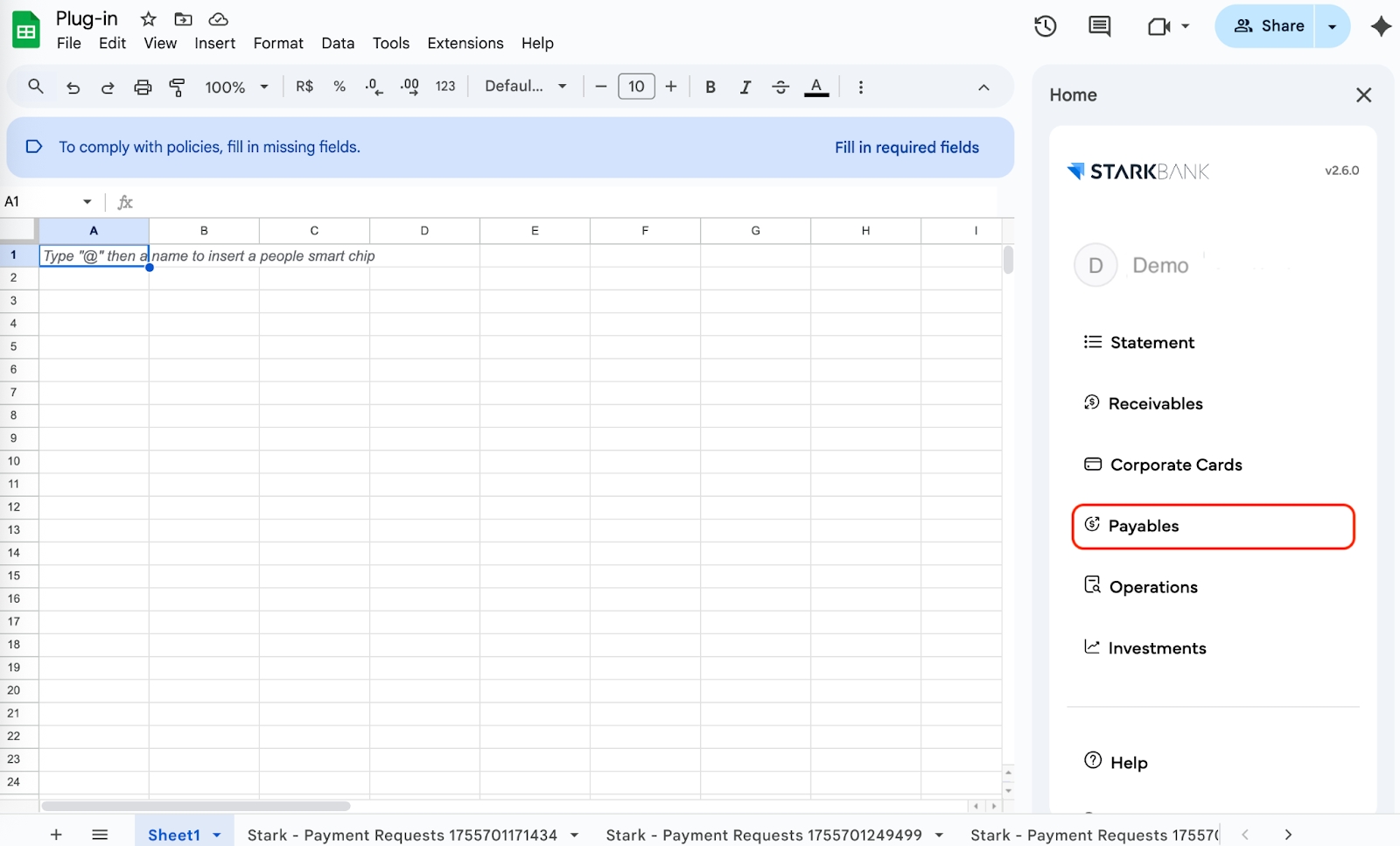
1. Inicie a extensão do Stark Bank no Sheets ou Excel
2. No menu lateral direito do Plug-in, clique em Payables (Pagamentos).
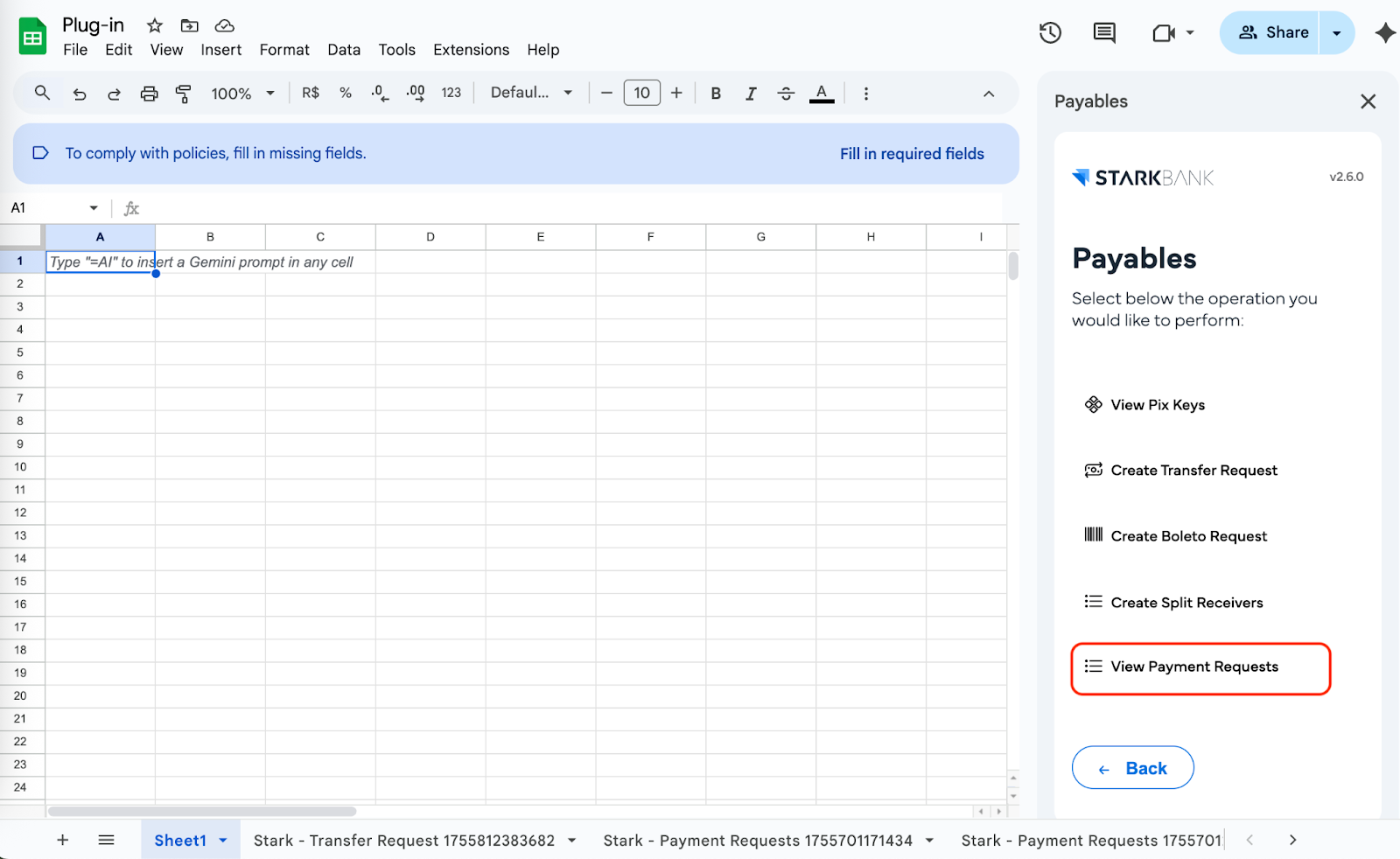
3. Em seguida, clique em View Payment Requests (Ver solicitações).
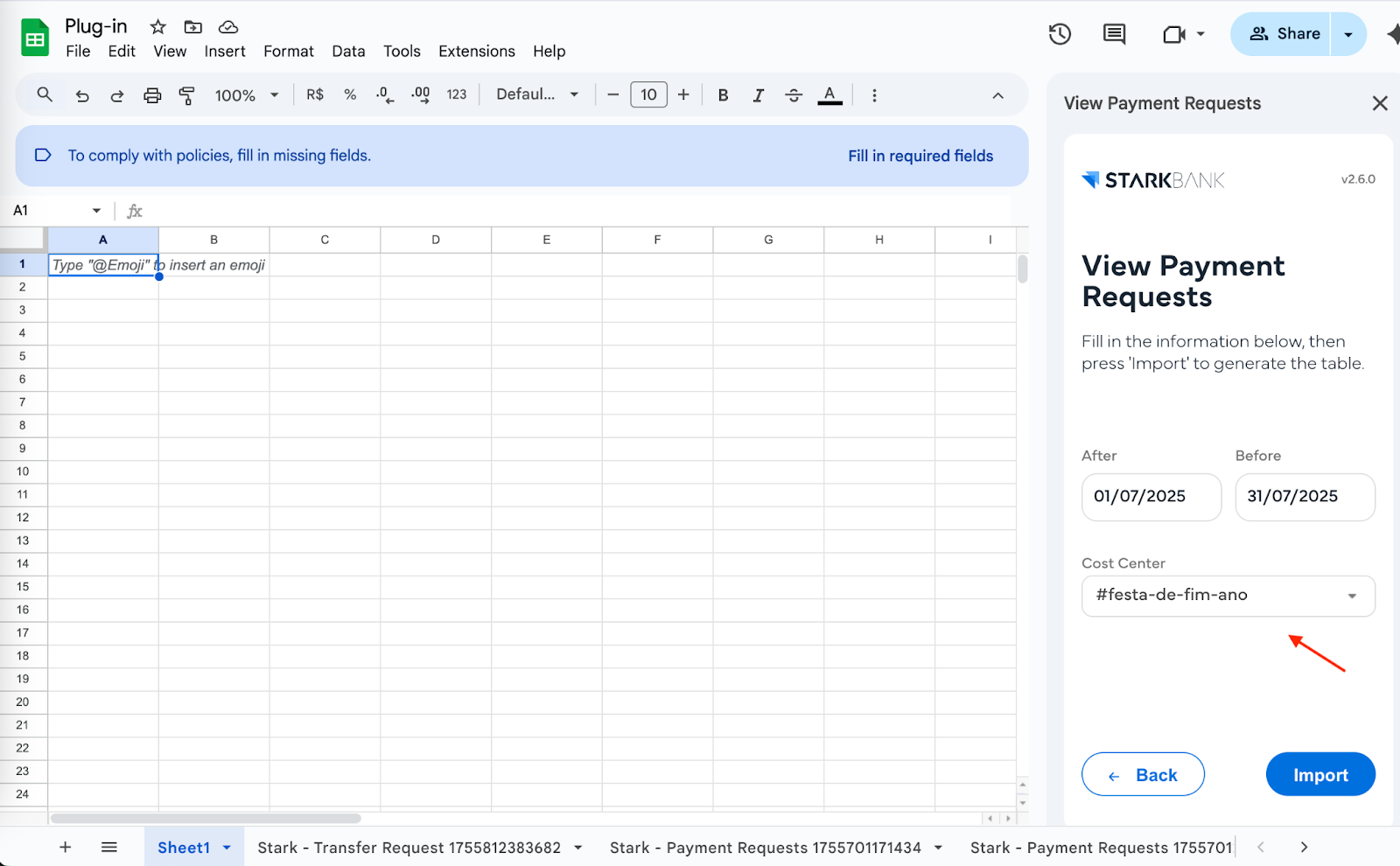
4. Defina os parâmetros da sua busca filtrando as solicitações de acordo com a data e o centro de custos desejado.
5. Após configurar os filtros, clique no botão Import para carregar os dados na sua planilha.
{% hint style="danger" %}
Lembre-se de que, embora você consiga visualizar e criar solicitações via Plug-in, a aprovação e a efetivação desses pagamentos devem ser realizadas obrigatoriamente pelo Internet Banking.
\
Entenda o processo completo no artigo: [Como aprovar, pagar ou negar solicitações de pagamento?](/pagamentos-e-transferencias/tipos-de-pagamentos-e-transferencias/como-aprovar-pagar-ou-negar-solicitacoes-de-pagamento.md)
{% endhint %}
***
### Avisos importantes
{% hint style="warning" %}
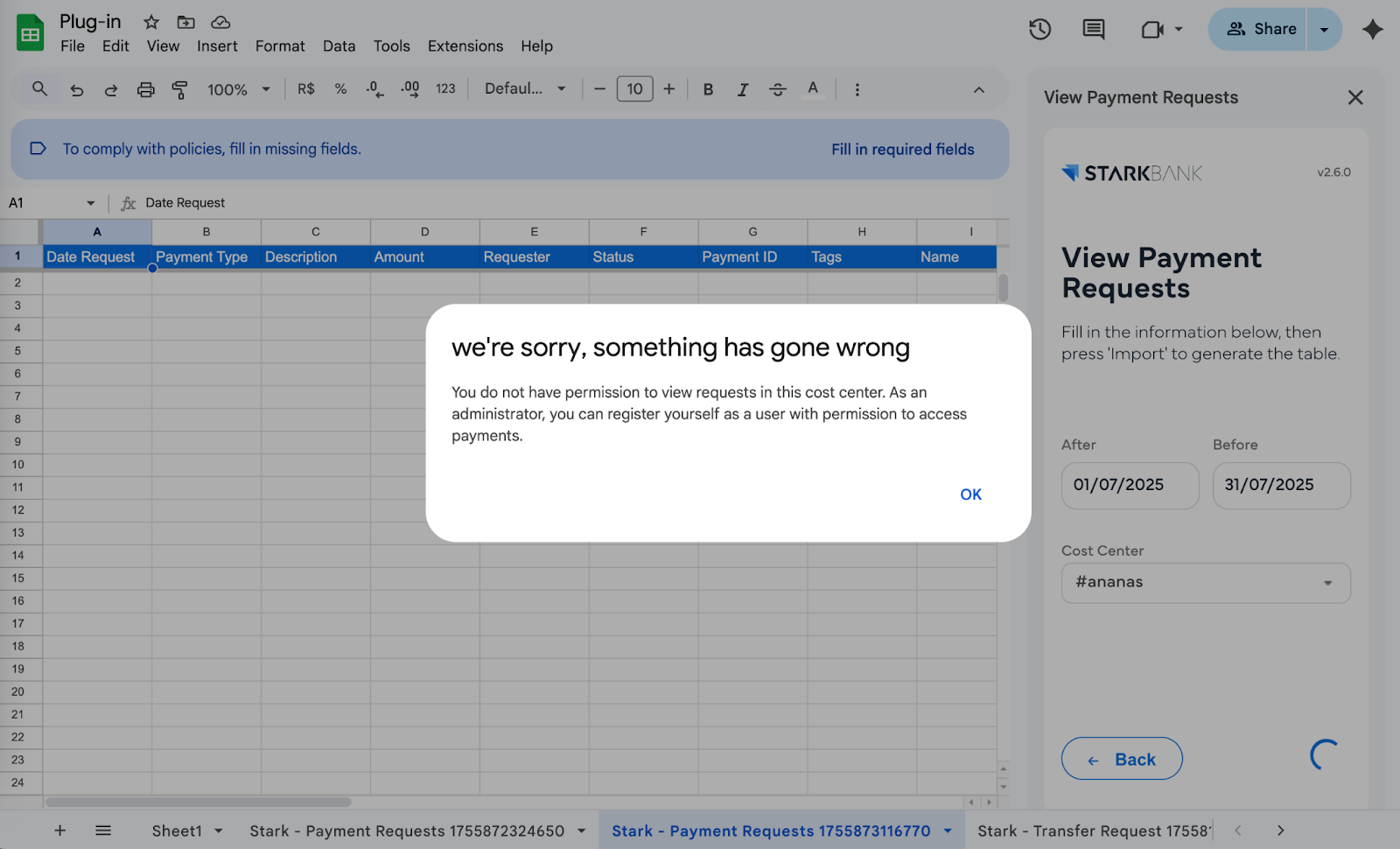
Caso você filtre a busca por um centro de custos específico e a planilha retorne um erro, isso significa que você não possui permissão de acesso àquele centro de custo.
Peça a um usuário com perfil de **Administrador** que te adicione ao centro de custo pelo Internet Banking. (Se você for um Administrador, pode se auto adicionar). Veja o tutorial: [Como adicionar um membro no centro de custo?](/pagamentos-e-transferencias/centro-de-custo/configuracoes-do-centro-de-custo/como-adicionar-um-membro-no-centro-de-custo.md)
{% endhint %}
---
# Agent Instructions
This documentation is published with GitBook. GitBook is the documentation platform designed so that both humans and AI agents can read, navigate, and reason over technical content effectively. Learn more at gitbook.com.
## Querying This Documentation
If you need additional information that is not directly available in this page, you can query the documentation by asking a question.
Perform an HTTP GET request on the following URL with the `ask` and `goal` query parameters:
```
GET https://help.starkbank.com/plug-in/como-verificar-as-solicitacoes-de-pagamento-usando-o-plug-in.md?ask=&goal=
```
`ask` is the immediate question: it should be specific, self-contained, and written in natural language.
`goal` is what the user is ultimately trying to achieve, the reason they need the answer. Sharing it helps GitBook give you a better, more relevant answer. A goal is most helpful when it describes the outcome the user wants rather than restating the question. For example, with `ask=how do I create an API token`, a goal like `automate deployments from our CI pipeline` lets GitBook tailor the answer to that use case.
The response will contain a direct answer to the question and relevant excerpts and sources from the documentation.
Use this mechanism when the answer is not explicitly present in the current page, you need clarification or additional context, or you want to retrieve related documentation sections.